
Transaction Splitting / Sub Accounts
Transaction splitting is a feature on Monnify that allows you to create subaccounts so payments could be split across different accounts. This simply means that for a single transaction, Monnify can help you share the amount paid between up to five different accounts.
This means you can specify either percentage/amount of incoming payments should go into your default settlement account and what percentage/amount of payments should also go into the sub-account you’ve created. You can create sub-accounts by integrating with the Monnify Create Sub-Account Endpoint
You can do the following to a sub-account once it has been created:
- Delete a Sub-Account Endpoint you no longer need
- Get the Sub-Accounts created
- Update the details of a Sub-Account
Create a Sub-Account
Use the Create Sub-Account API to register a sub-account. The request body is an array, so you can create multiple sub-accounts in a single call.
Before You Begin
Before integrating the SubAccount API, make sure you have completed the following steps:
- Enable Sub Account on your account
Subaccounts are not enabled by default. You must request activation for the API (and UI - if needed) to be enabled both your Sandbox and/or Live environments. Contact [email protected] to get this enabled stating your use case for the feature. As part of the email, you will be expected to idemnify Monnify for potential use and misuse of the feature on your platfrom.

Attaching Subaccounts to other payment API
To attach a subaccount to a payment request, simply append the incomeSplitConfig array to the request body. Each entry in the array defines how a portion of the payment is routed to a sub-account.
There are two ways to define the split amount for each sub-account:
- Percentage split: a percentage of the total transaction amount is sent to the sub-account, using the splitPercentage field.
- Flat amount split: a fixed static amount is sent to the sub-account regardless of the transaction value, using the splitAmount field.
Only one of splitPercentage or splitAmount should be provided per sub-account entry, not both. However, you can add a mix of sub-accounts with fixed amount and percentage but not a single subaccount with both configuration.
Percentage Split
Use splitPercentage to route a proportion of the transaction to a sub-account. The feePercentage field controls what share of Monnify's transaction fee the sub-account bears.
Flat Amount Split
Use splitAmount to route a fixed amount to a sub-account, independent of the total transaction value. This is useful when you always want a sub-account to receive a specific amount (e.g. a platform fee of ₦500).
You can see sample usage examples on the Reserved Account API section.
Creating a Sub Account on Monnify UI
Please send an email to [email protected]to have the Sub Account UI enabled for you. Once enabled, you will see the Sub Account Tab under your Collections menu.
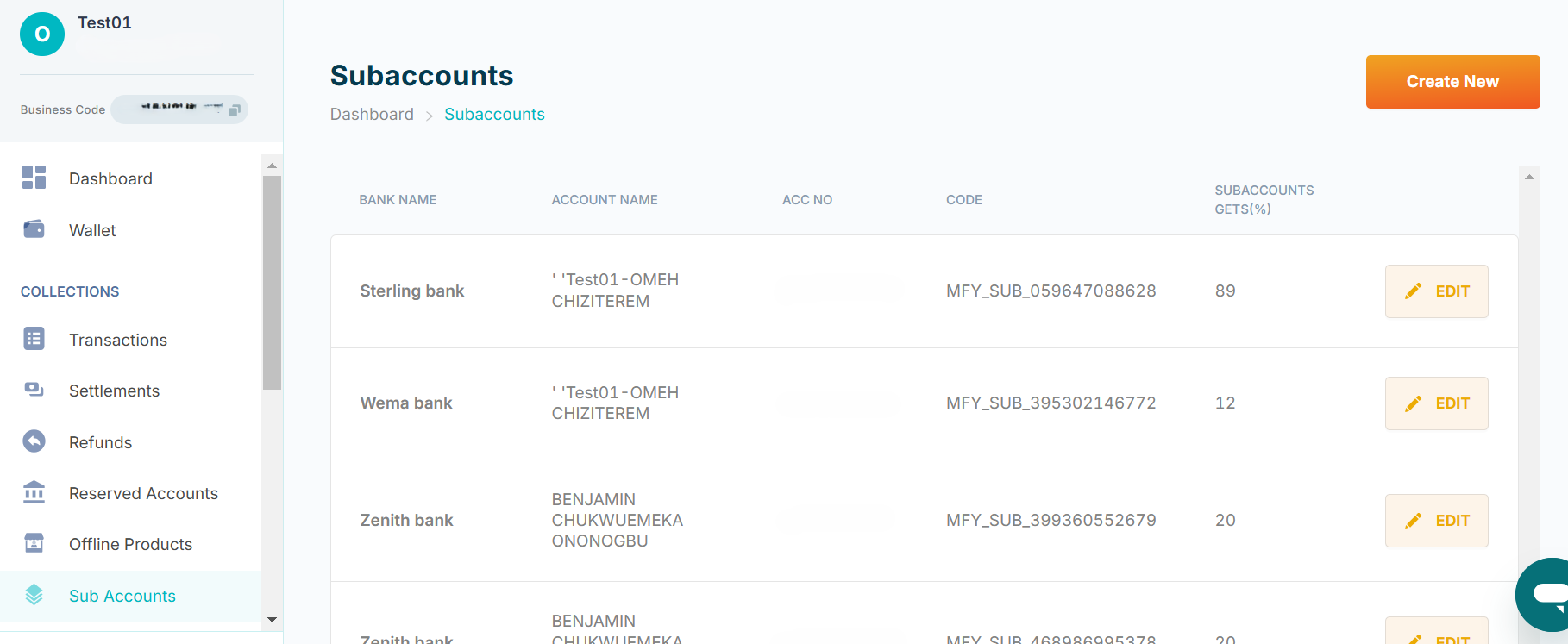
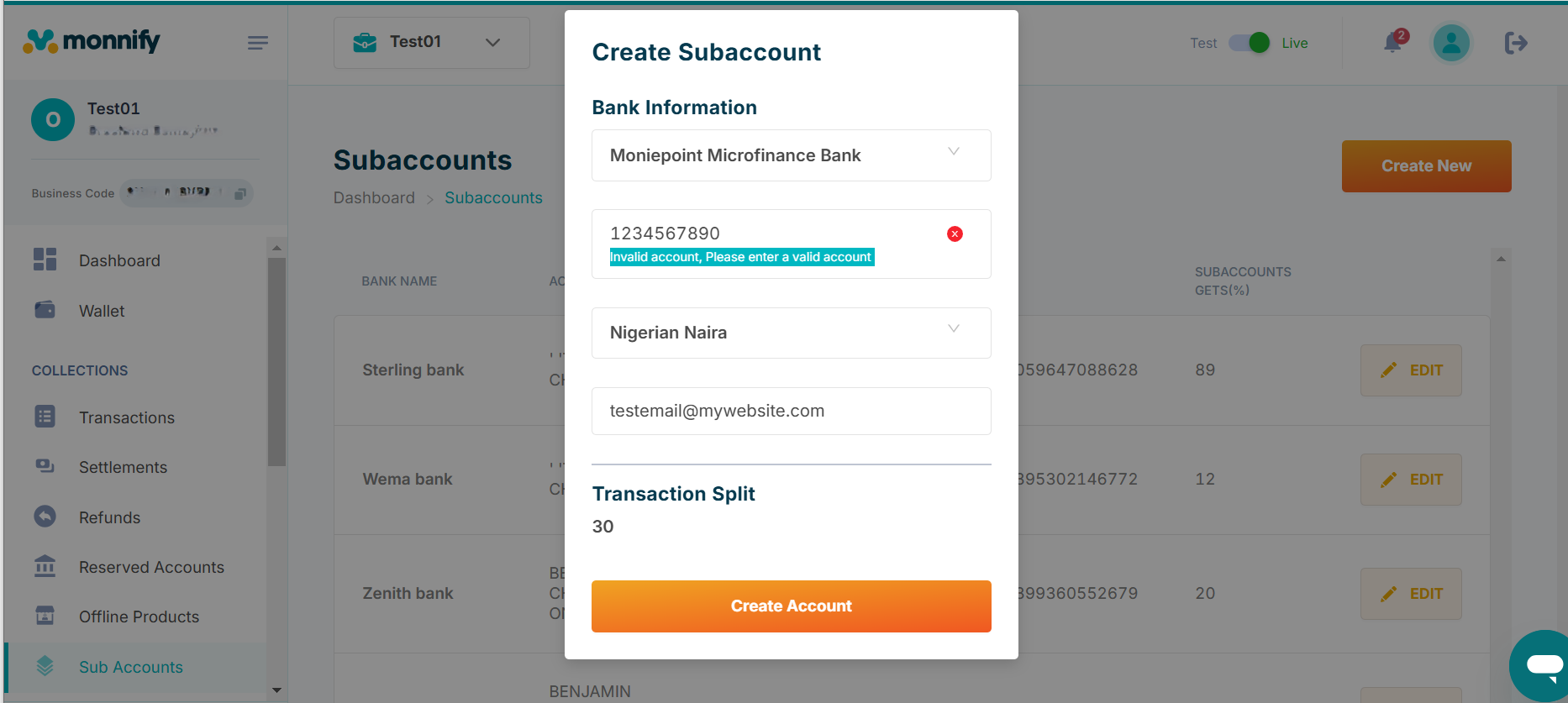
To Create a Sub Account, click on Create New and fill in the necessary details
Rate this page
How helpful is the content on this page?

Got Questions

Monnify Tutorial Videos


