
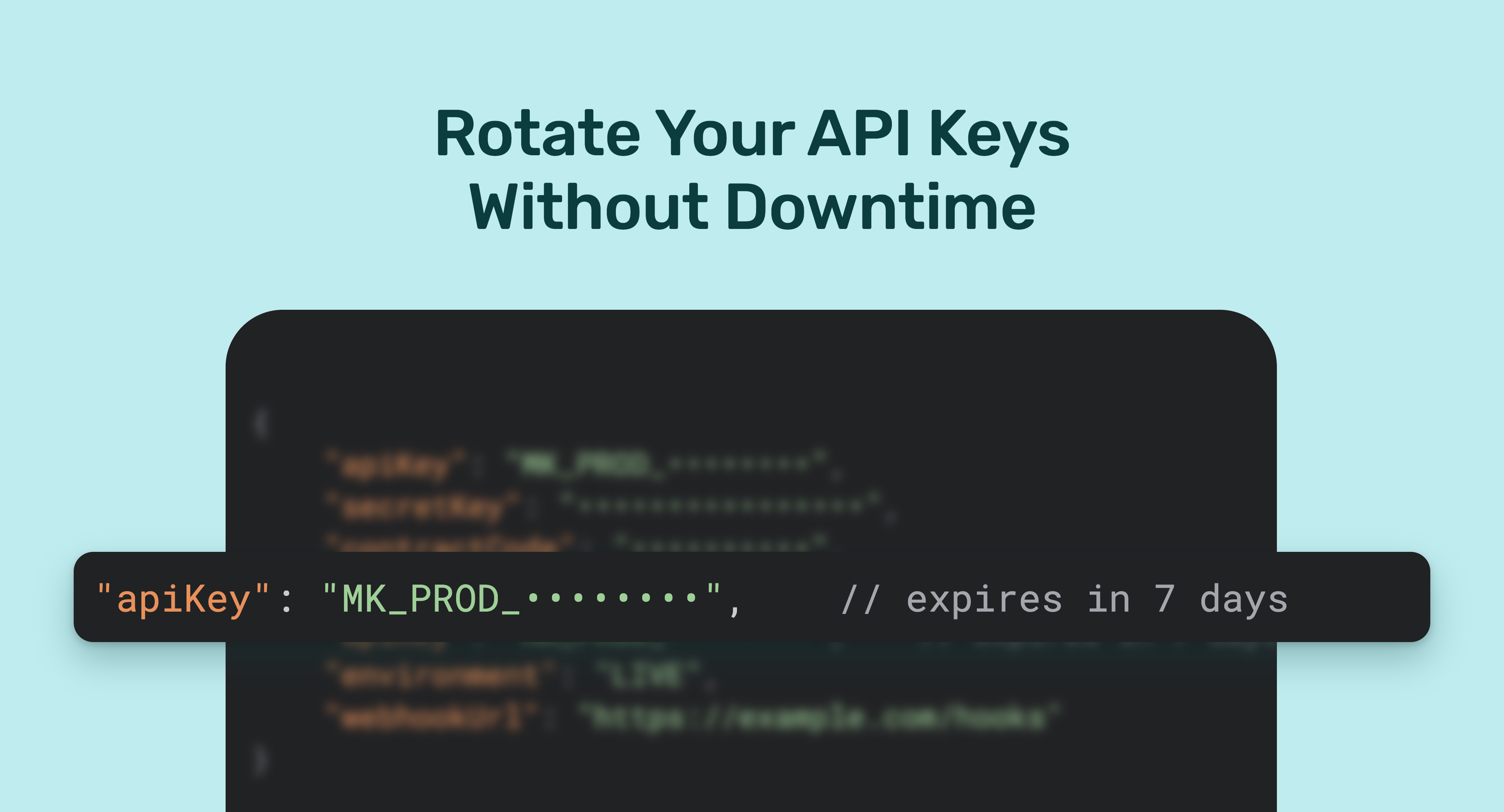
Monnify API keys now expire, and you'll be reminded well before yours does. When you rotate, your old and new keys can run side by side, so you can switch over without downtime.
We've had a lot of questions about how this works, so this article covers the full lifecycle: how you're notified, what happens when you rotate, which key signs your webhooks during the switch, and what happens if a key expires before you rotate it.
Regular rotation limits the damage if a key ever leaks through a log file, a shared repo or a former team member's laptop. It's standard practice across payment platforms, and expiry dates make sure it actually happens.
How you'll know your key is expiring
You'll get four reminders: 30 days, 7 days and 1 day before your key expires, and again once it has expired.
A check runs once a day across all merchant accounts. It looks for keys that are 30, 7 or 1 day from expiry, plus any that have already expired, and sends each affected merchant an email.
The same notice appears on your Monnify dashboard when you log in, so you'll see it even if the email lands in spam or goes to a shared inbox nobody checks. Make sure the email on your account reaches whoever owns your integration.
Rotating your credentials
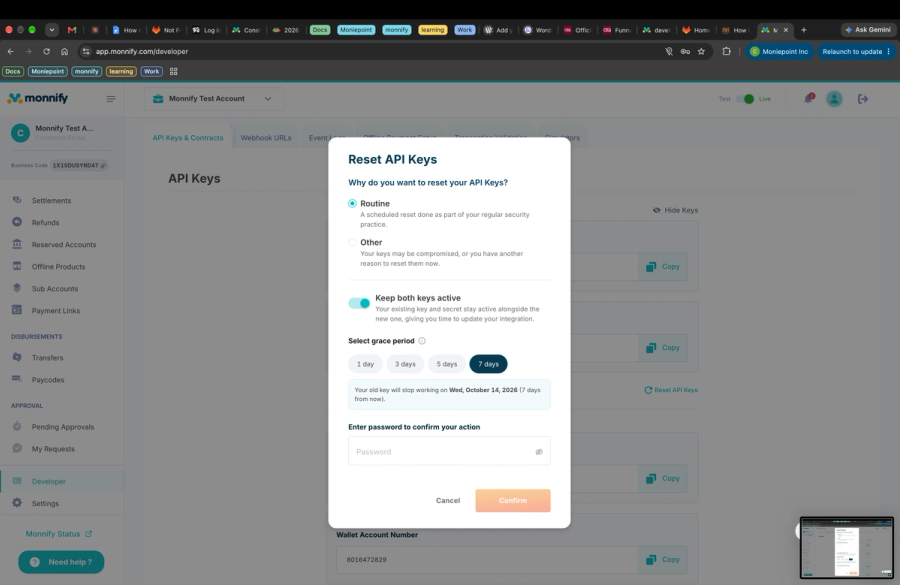
You reset your keys from the Monnify dashboard. If you turn on Keep both keys active, your old key and secret keep working for 1, 3, 5 or 7 days alongside the new ones, so you can switch over without downtime.
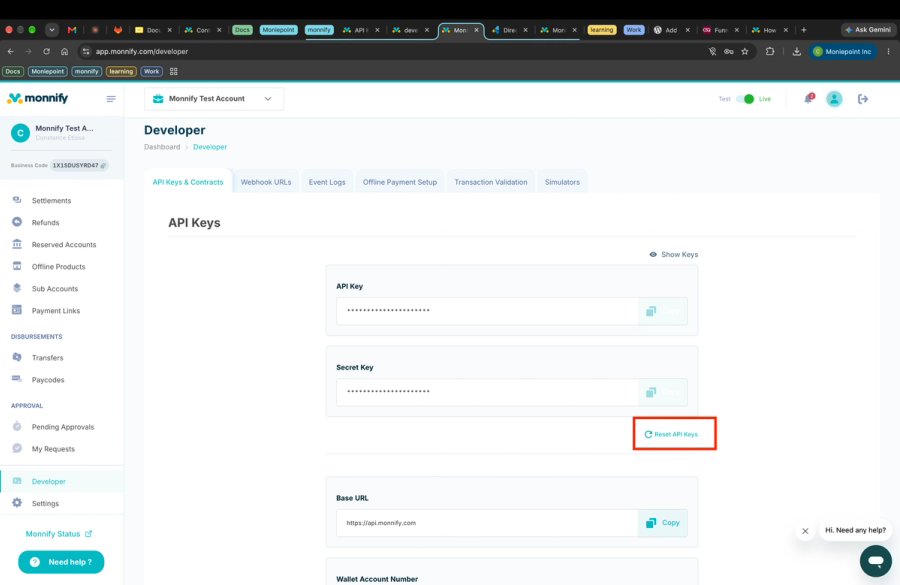
- Log in and go to Developer → API Keys & Contracts, then click Reset API Keys.
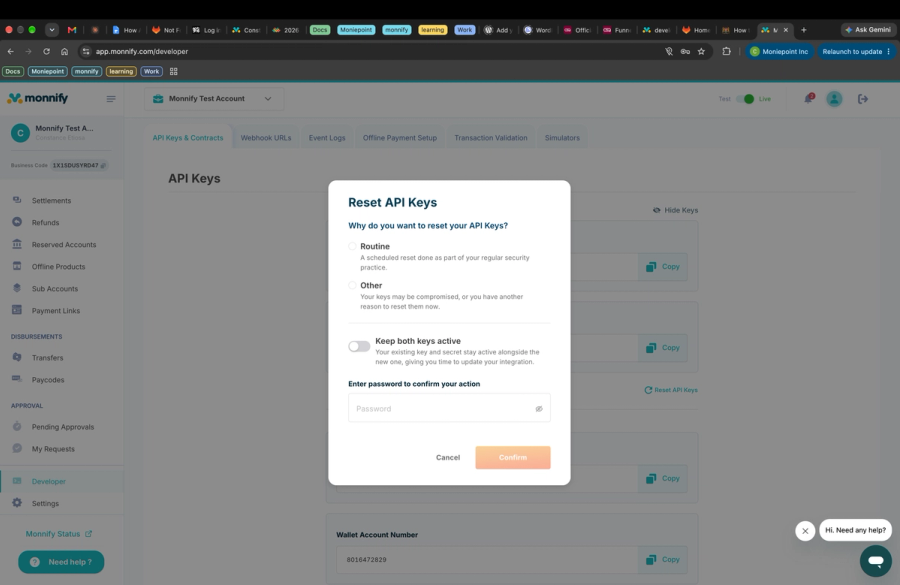
- Choose why you're resetting:
- Routine: a scheduled reset as part of your regular security practice, such as after an expiry reminder.
- Other: your keys may be compromised, or you have another reason. Describe it briefly (up to 50 characters).
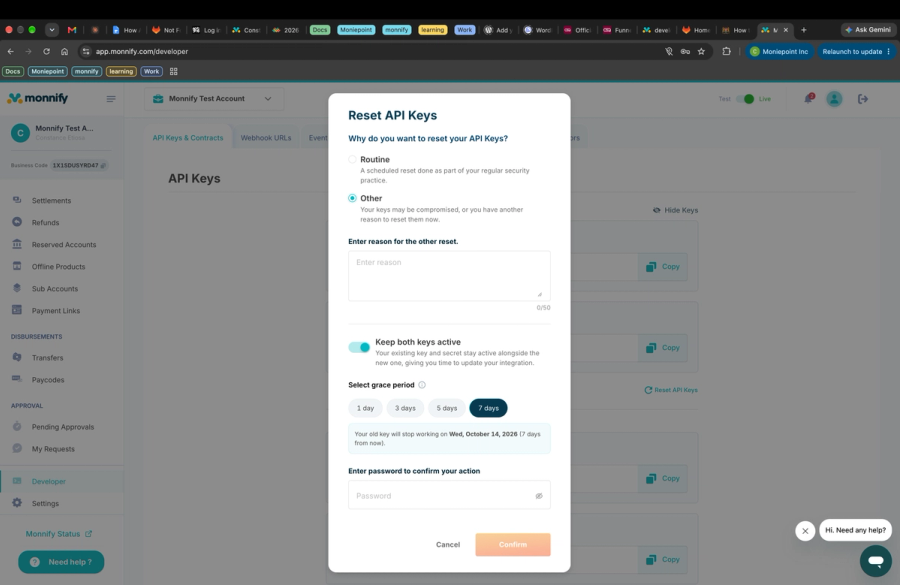
- Decide whether to Keep both keys active. If you turn it on, select an overlap period of 1, 3, 5 or 7 days. The dashboard shows the exact date your old key will stop working.
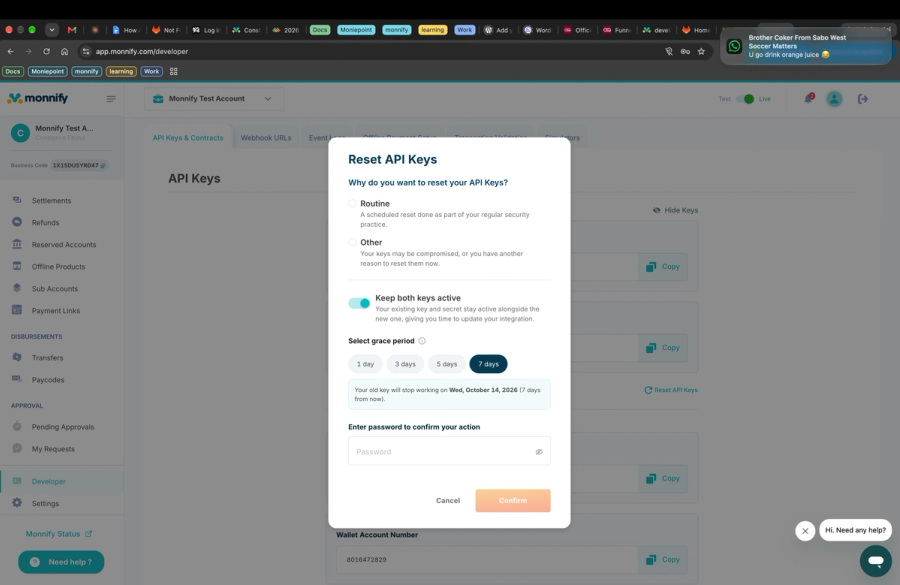
- Enter your dashboard password and click Confirm.
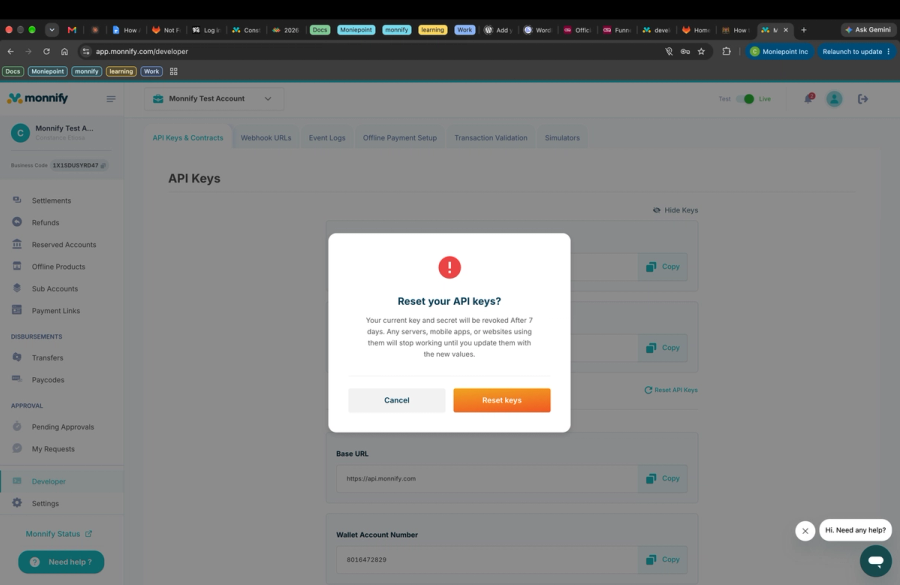
- Review the confirmation. It tells you when your current key and secret will be revoked. Click Reset keys.
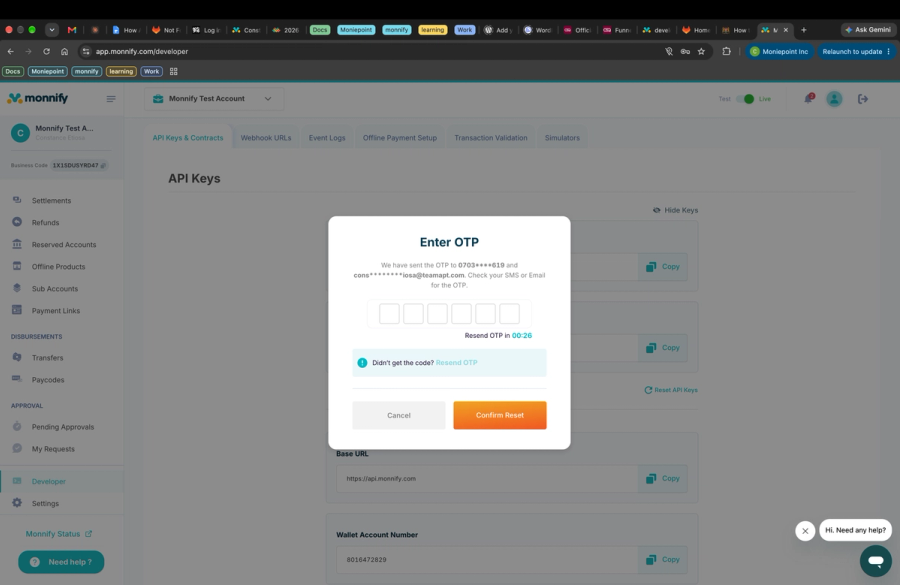
- Enter the one-time code sent to your registered phone number and email, then click Confirm Reset.
- Your API keys have been rest succesfully.
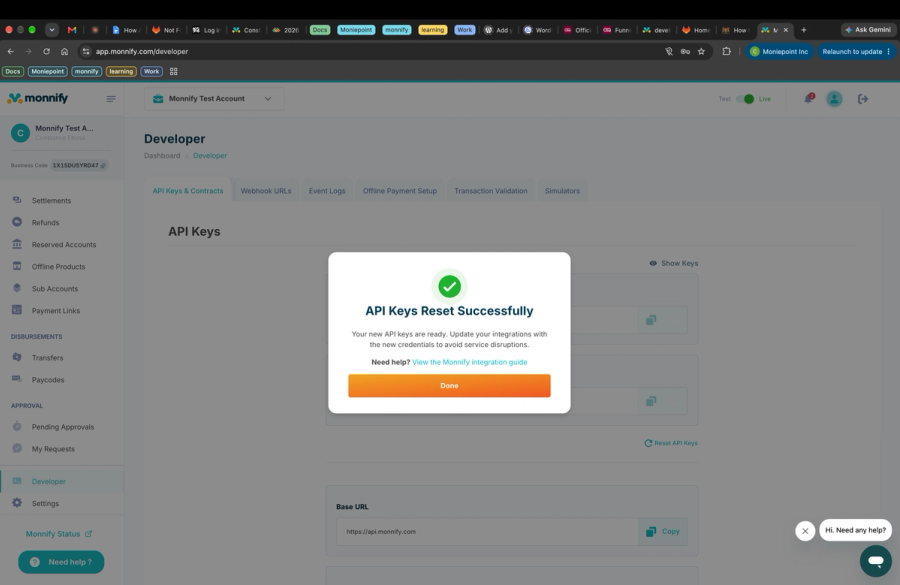
- Copy your new API key and secret key, and update your integrations before the overlap period ends.
What happens to your old key depends on that toggle:
- On: your old key and secret keep working until the end of the period you chose (1, 3, 5 or 7 days).
- Off: your old key and secret are revoked immediately when the reset completes. Requests using them fail until you deploy the new credentials.
If you're resetting because a key may have leaked, leave Keep both keys active off. An overlap period would let whoever has the old key keep using it.
Which key signs your webhooks during the overlap
While your old key is still active, Monnify keeps using it to compute your webhook hash. Once the old key is no longer active, the new key takes over.
API requests can accept two keys at once, but a webhook signature can only be computed with one. We chose the old key so that nothing breaks the moment you click reset: your existing verification code keeps passing until you've had time to update it.
- While your old key is active: webhooks are signed with the old key.
- Once the overlap period ends: webhooks are signed with the new key.
The practical risk is at the handover. If your webhook handler only knows the old key, verification will start failing the moment the old key stops being active. To avoid that:
- Update your webhook verification to try the new key as well as the old one before the overlap period ends.
- Once the old key is gone, remove it from your verification code.
- Log failed signature checks so a mismatch shows up quickly instead of as missing payment confirmations.
What happens if you don't rotate
If your key expires and you haven't rotated it, Monnify blocks your access to all disbursement-related APIs until you do. Treat expiry dates as real deadlines.
Collections are not covered by this restriction. Disbursements are, because they move money out of your account and carry the most risk if a key is compromised.
Need more time before expiry? Request an extension
If your key has expired and you can't rotate yet, for example because of a code freeze or a release cycle, you can ask us to extend your key's expiry date. An expired key can be extended only once, by up to 30 days. This is separate from the overlap period you pick when resetting, which the dashboard also calls a grace period. Email [email protected] with your merchant details and how much extra time you need. Once approved, your new expiry date applies and the reminder schedule resets around it.
Rotation checklist
- Confirm the email on your Monnify account reaches your integration owner
- Reset your API credentials when the 30-day reminder arrives, with Keep both keys active turned on
- Store the new key in your secrets manager, not in code
- Deploy the new key to every service that calls Monnify
- Update webhook verification to accept the new key
- Confirm everything works on the new key before the overlap period ends
- Remove the old key from your webhook verification code
FAQ
Will my integration break the moment I reset my credentials? Not if you turn on Keep both keys active. Your old key keeps working alongside the new one for the overlap period you choose (up to 7 days), and webhooks keep being signed with the old key during that time.
I reset my credentials and my webhook verification started failing. Why? The old key is most likely no longer active, so webhooks are now signed with the new key. Update your verification code to use the new key.
My key expired. Can I still receive payments? Yes. Only disbursement APIs are blocked after expiry. Rotate your credentials, or request an extension, to restore disbursement access.
Can I get more time before my key expires? Yes. Email [email protected] to request an extension of your key's expiry date. You can extend an expired key once, by up to 30 days.
Learn more
For the full rules on rotation deadlines, reminders, deactivation and what to do if a key is compromised, read Monnify's API Key Rotation Policy.